
Setting up the server
This guide is just one example of how to run the Ondu Server using Docker, but you can host it however you want on your own homelab server, NAS, anything.
Start the server
Save this as
docker-compose.ymland fill in three things:ONDU_URL: the address you'll use to reach the server. For examplehttps://music.example.com, or your Tailscale address. Not sure yet? Leave the example for now and come back to it later.- The music path:
wherever your files are stored, read-only (
:ro)
services:
  ondu:
    image: ghcr.io/ondumusic/server:latest
    restart: unless-stopped
    ports:
      - "4000:4000"
    environment:
      ONDU_URL: https://music.example.com
    volumes:
      - /path/to/your/music:/music:ro
      - ./data:/data
Then start it with
docker compose up -d.Your music is mounted read-only (
:ro), so Ondu can never modify your files. The database, resized artwork and transcoded music cache all live in./data. The server listens on port 4000; to use a different port, change the first number. You can find more settings on the configuration page. Source code, releases and issues are on the server on GitHub.Give it an HTTPS address
The Ondu apps only work over HTTPS with a valid certificate, so plain
http://and self-signed certificates won't work. Here are two examples to get you started:Tailscale
Only the devices connected to your tailnet can reach the server.
Tailscale needs to be enabled on your iPhone or Mac whenever you want to stream music from the server.
- Install Tailscale on the server and on your devices, signed in to the same account.
- In the admin console, under DNS, turn on MagicDNS and HTTPS Certificates.
- On the server, run:
sudo tailscale serve --bg 4000It prints your address, something like
https://homeserver.tail1234.ts.net.Your own domain
Reachable from anywhere, no VPN.
You'll need a domain, and ports 80 and 443 forwarded to the server. Configure the DNS for your domain (or subdomain) at your IP and put a reverse proxy in front of Ondu. For example Caddy gets and renews the certificate by itself, and this is its whole config:
music.example.com {
    reverse_proxy localhost:4000
}
Of course nginx, Traefik, Nginx Proxy Manager or other options work just as well. As long as it is reachable and has a valid certificate.
Once the address loads, check that
ONDU_URLin yourdocker-compose.ymlis exactly this address. If you change it, rundocker compose up -dagain to apply it.Create your account
Open your server's address in a browser. Fill in the username and password you'll want to use in the apps. Then set up the library, leave the music directory as
/musicand continue, which will start scanning the library.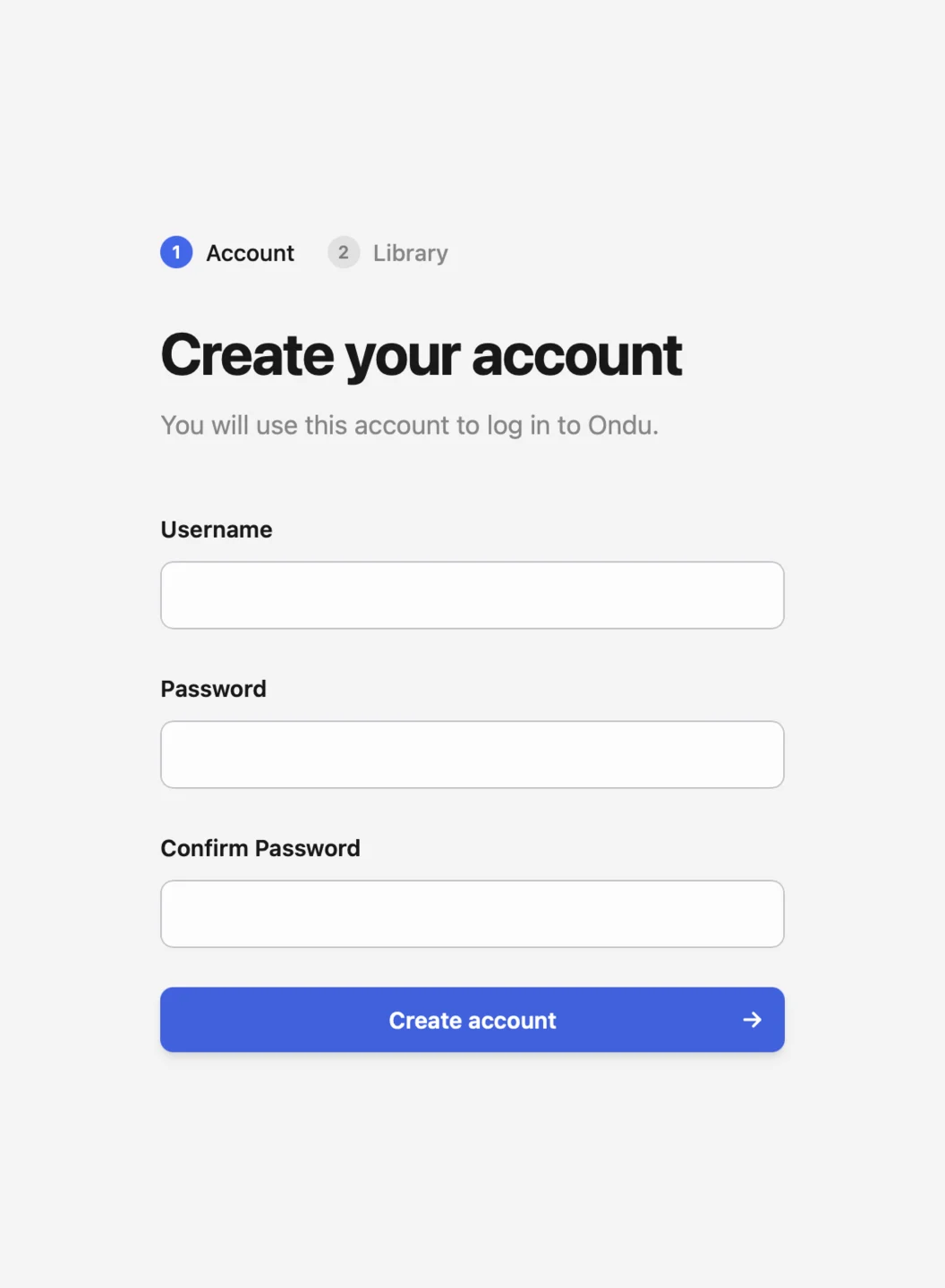
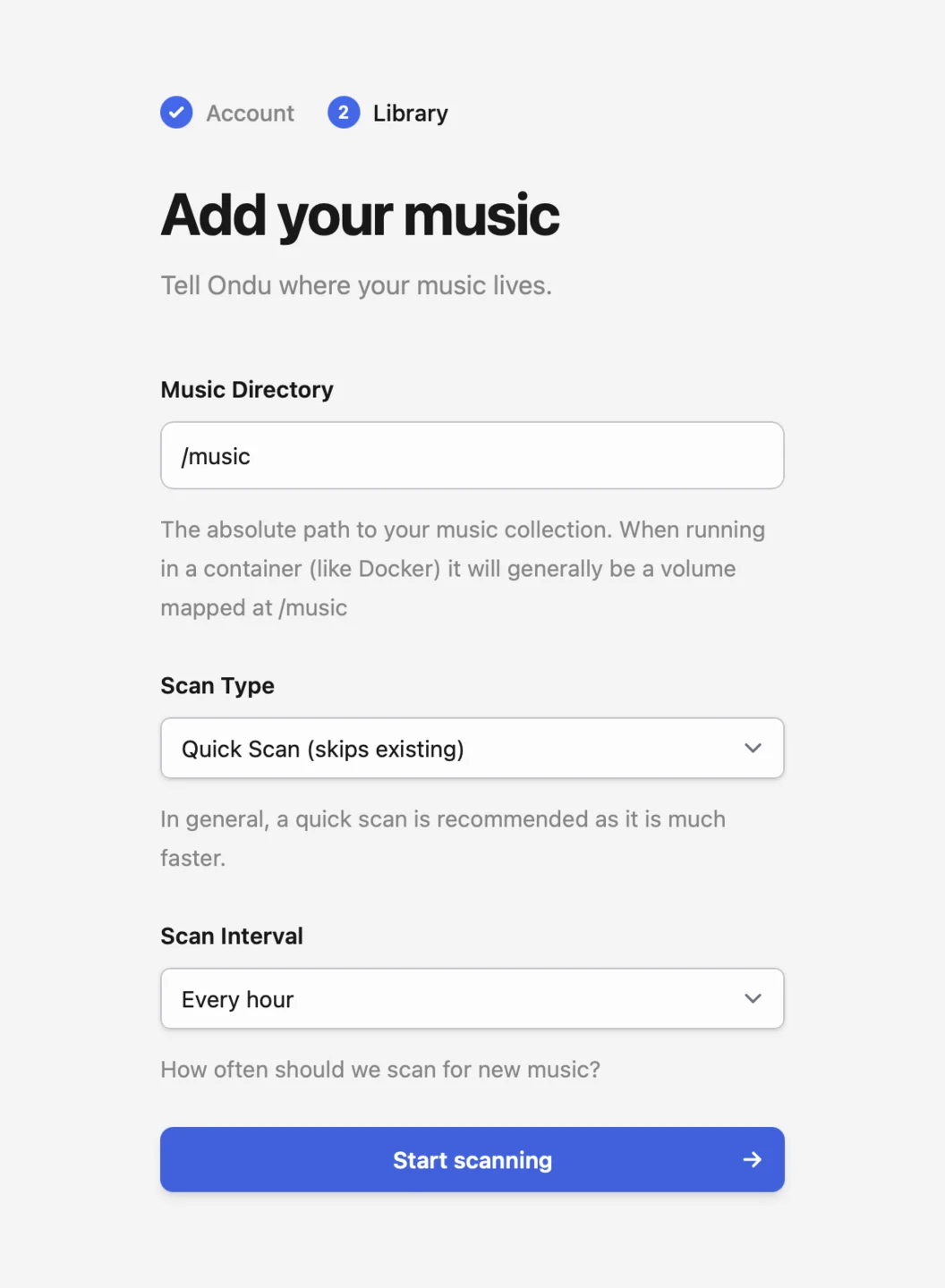
If your server is publically accessible I recommend setting up your account immediately, as until an account exists it will remain in onboarding mode and it's first come, first serve.
Sign in from the app
Enter your server's address and the account you just created. Just the hostname is enough, like
music.example.com. The first sync copies your library metadata to the device, and after that only incremental changes are synced.